

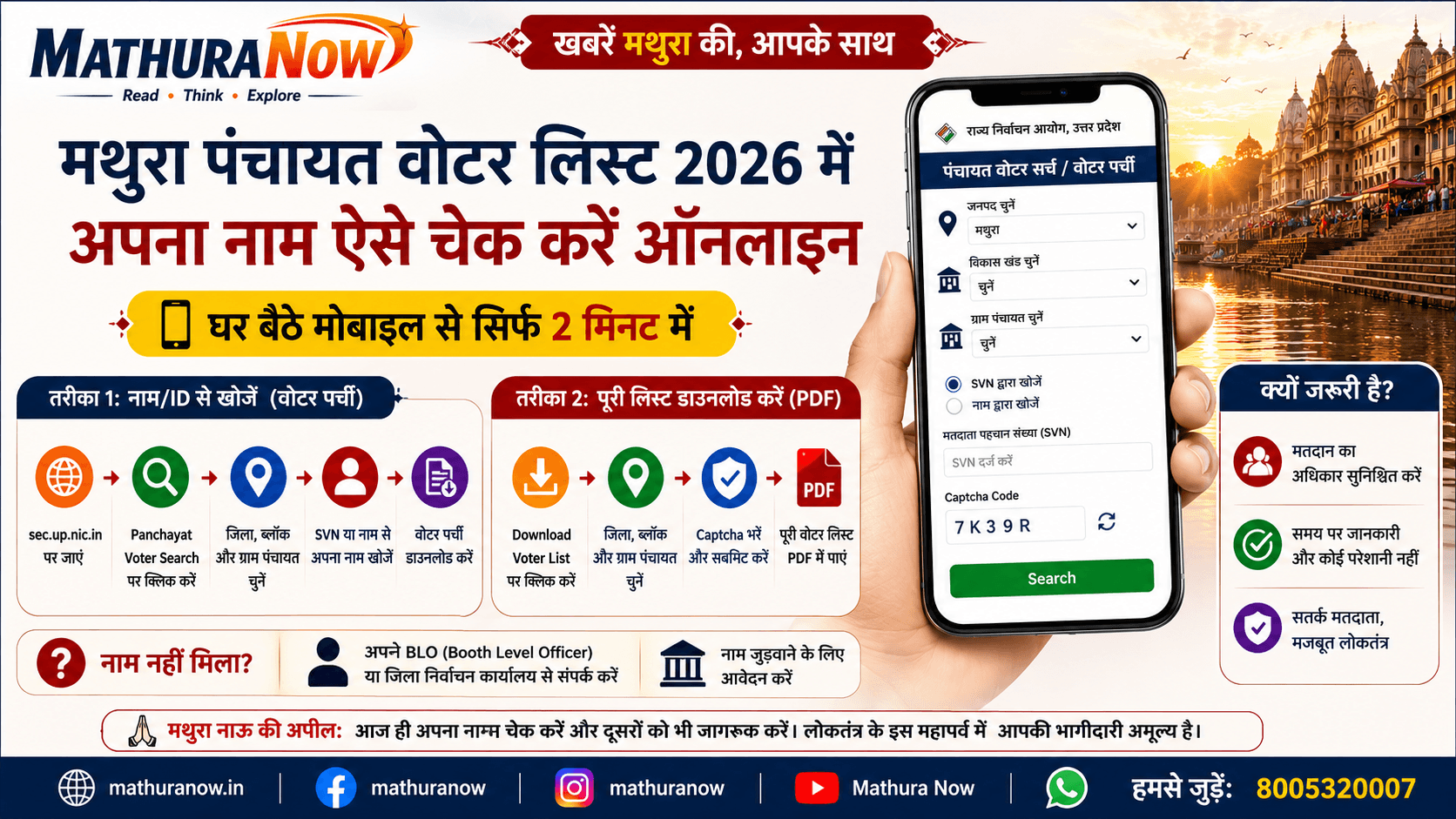
MathuraNow Special: How to Check Your Name in the Mathura Panchayat Voter List from Home in Just 2 Minutes
Mathura: Whether you are preparing for upcoming Panchayat elections or simply fulfilling your democratic responsibility, ensuring that your name appears on the voter list is essential. Many voters discover on polling day that their names are missing from the electoral roll, leaving them unable to cast their vote.
To help residents avoid such last-minute surprises, the Uttar Pradesh State Election Commission has made voter verification easier through its online portal. Residents of Mathura can now check their names, download voter slips, and access Panchayat voter lists directly from their mobile phones without visiting government offices.
Method 1: Search Your Name and Download Your Voter Slip
If you only want to confirm your voter registration status and download your voter slip, follow these simple steps:
Step 1: Visit the Official Website
Open the official website of the Uttar Pradesh State Election Commission in your browser:
https://sec.up.nic.in
Step 2: Open the Panchayat Voter Search Portal
On the homepage, navigate to the “Panchayat Election” section and click on “Panchayat Voter Search Engine / Print Voter Slip”.
Step 3: Select Your Local Area
You will be asked to choose:
- District: Mathura
- Your Development Block (Block)
- Your Gram Panchayat
Step 4: Enter Your Details
The portal provides two search options:
- Search using your SVN (Voter Identification Number)
- Search using your Name and Father’s/Husband’s Name
Helpful Tip: The portal automatically converts English typing into Hindi after pressing the space bar, making searches easier for local users.
Step 5: Verify and Download
Enter the displayed captcha code and click Search. Your voter information, including ward details, house number, and voter serial number, will appear on the screen. You can also download and print your voter slip directly.
Method 2: Download the Complete Village Voter List (PDF)
If you want to verify the names of multiple family members or review the complete electoral roll of your village, downloading the full voter list PDF may be more convenient.
- Visit the State Election Commission website.
- Click on “Download Panchayat Voter List”.
- Select Mathura District, your Development Block, and your Gram Panchayat.
- Enter the security captcha and submit.
- The complete Panchayat voter list will be downloaded in PDF format.
The PDF contains detailed voter information, allowing residents to verify household entries and voter records more efficiently.
What If Your Name Is Missing?
If your name does not appear in the online search results or the downloaded voter list, it may not have been included during the latest electoral roll revision process.
In such cases, residents should immediately contact:
- Their local Booth Level Officer (BLO)
- The concerned Block Development Office
- The District Election Office
Election officials can guide voters regarding the process for inclusion or correction of voter details.
Why Checking the Voter List Matters
Voter list verification is one of the most important steps before any election. Ensuring that your name and details are correctly recorded helps prevent inconvenience on polling day and strengthens democratic participation at the grassroots level.
With Panchayat elections expected in the coming months, residents are encouraged to verify their voter status well in advance rather than waiting until election day.
MathuraNow Appeal
Every vote matters in a democracy. Take two minutes today to verify your name in the voter list and encourage your family, friends, and neighbors to do the same. An informed voter is the foundation of a stronger and more accountable local government.
Disclaimer: This guide is based on facilities currently provided by the Uttar Pradesh State Election Commission. Website features and procedures may change from time to time. Readers are advised to verify information through official government portals.