Google Gemini AI Inside WordPress: What You Need to Know
How a custom Gemini AI module is actually built inside WordPress — mu-plugin architecture, draft-only auto-generation, and real image branding, explained by someone who built it.
MATHURA: Many WordPress website owners ask the same question: Can Google’s Gemini AI be added directly to a website’s WordPress dashboard?
The answer is yes. But there is an important lesson that often becomes clear only after the system is actually used: connecting Gemini AI to WordPress is not necessarily the difficult part. Managing AI access, billing and Google account settings can be the bigger challenge.
Also Read: Braj Raj Utsav 2026: 11-Day Cultural Fair Set for Mathura and Vrindavan
This is a two-part story based on the practical experience of building and using a custom Gemini AI feature inside WordPress.
In Part 1, we explain in simple terms how Gemini AI can be integrated into WordPress and what such a system can actually do for a website editor.
In Part 2, we look at the real-world problem that can arise when Google’s free AI access suddenly stops and the account moves into a billing-related situation.
Yes, WordPress Can Have a Custom Gemini AI Feature
You do not necessarily need to purchase an expensive AI plugin from a marketplace to bring Gemini into WordPress.
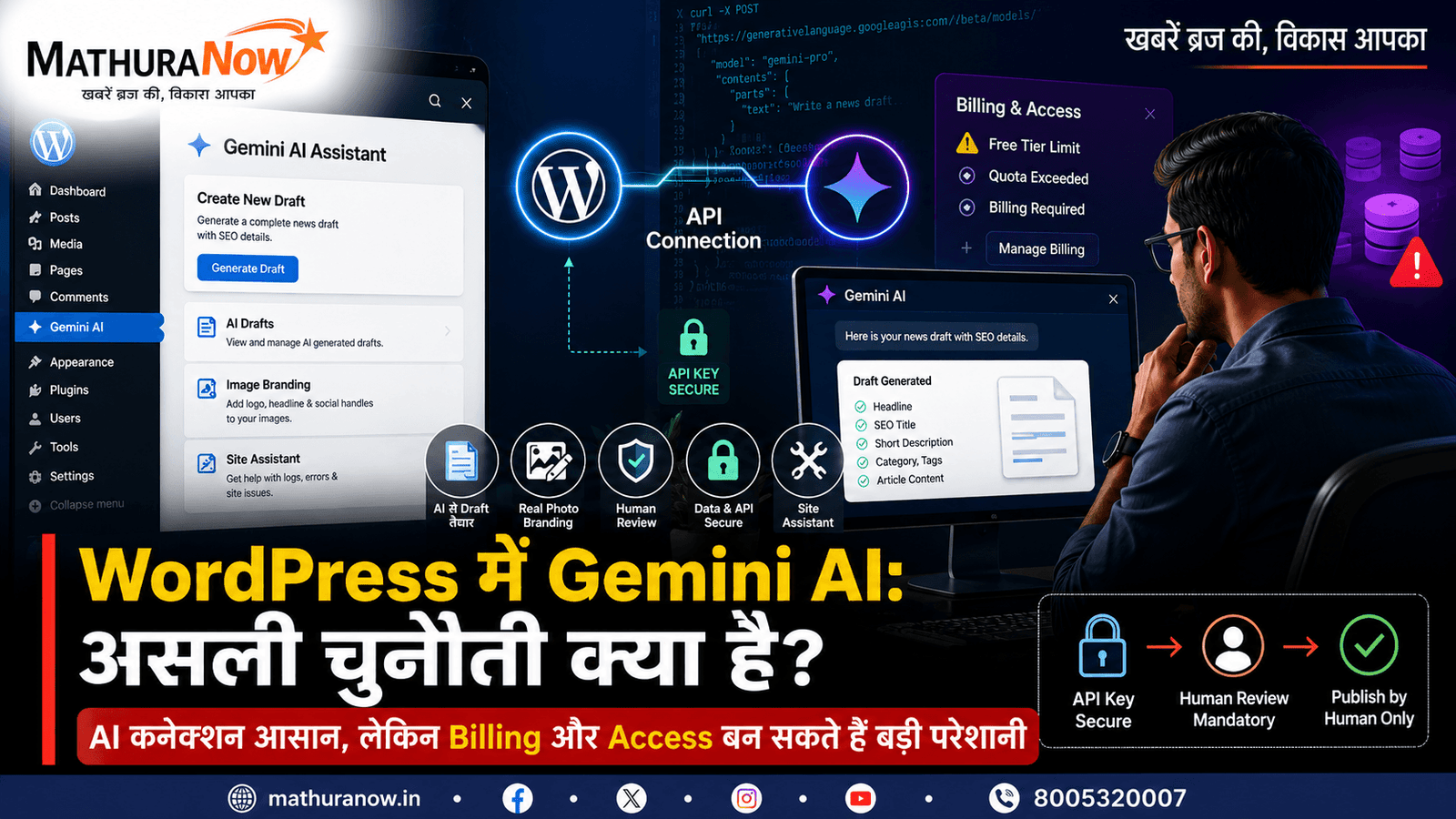
A custom AI feature can be built as a small WordPress plugin. In simple terms, the plugin acts as a bridge between the WordPress dashboard and Google’s Gemini AI service.
A properly designed plugin can perform three basic jobs.
- Protect the Gemini API key: The secret API key can be stored on the server instead of being exposed in the visitor’s browser or public-facing website.
- Add an AI workspace to WordPress: A dedicated page can be added inside the WordPress dashboard so an editor can use the tool without constantly switching between different platforms.
- Connect WordPress with Gemini: The plugin sends a carefully structured request to Gemini and receives the AI response, which can then be used for a specific publishing task.
The third part is where a custom implementation becomes particularly useful. A good newsroom AI tool should not simply behave like a generic chat box. It should be designed around the actual workflow of the publisher.
From Rough Notes to a News Draft
For a digital newsroom, one useful application is converting rough reporting material into a structured first draft.
An editor could provide a press note, reporter’s field notes or even a rough voice-typed note. The AI can then organise the information into a draft containing a headline, SEO title, short description, category, tags and article body.
The objective is not to replace the journalist. It is to reduce repetitive formatting and drafting work so the editor can spend more time checking facts, context and accuracy.
AI Should Create Drafts, Not Publish News
For a news website, this is one of the most important safety rules: AI should create a draft, not publish an article automatically.
The AI can suggest the structure and wording, but a human editor must review the information before publication. The final decision to publish remains with the human newsroom.
This approach is especially important for local journalism, where names, locations, dates, allegations and official actions need to be checked carefully before an article goes live.
Real Photos Can Be Branded Without Creating Fake Images
Another useful application is automated image branding.
Instead of asking an AI image generator to create a fictional photograph for a news report, the editor can upload the original photograph taken at the location. The system can then add the publication’s logo, headline banner and social media information around the original image.
This keeps the underlying photograph authentic while making the design process faster and more consistent.
Also Read: Shiv-Parvati Vivah Enacted at Shri Krishna Janmabhoomi – Mathura Ram Leela Mahotsav 2026
For a news organisation, that distinction matters. An automatically designed image should not create the impression that an AI-generated scene is an actual news photograph.
A Second AI Assistant for Website Management
A custom Gemini integration can also be used for website administration.
A separate assistant could help the website owner inspect available website files, review error logs and identify possible technical problems. It could explain what may be causing an issue and suggest a possible solution.
However, the same principle applies here: the AI should suggest the fix, while the website owner or developer decides whether to apply it.
The Real Challenge Can Be Billing
Building the connection between WordPress and Gemini may appear to be the main technical challenge. In practice, account access and billing can become equally important.
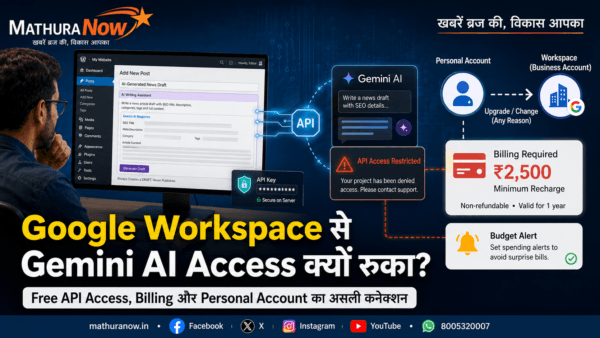
A free AI allowance may not continue indefinitely under every configuration. Changes involving Google accounts, AI services, API access, projects or billing settings can affect whether an application continues to receive access.
This is where many website owners can become confused. The AI feature may be working correctly, while the underlying Google service account or billing configuration has changed.
That experience leads to an important lesson: when building an AI-powered website tool, the API connection is only one part of the system. Access, usage limits, billing and account configuration also need to be understood.
Part 2: What Happens When Free AI Access Stops?
Part 2 of this story focuses on the practical experience of what happens when Google suddenly stops providing the expected free AI access.
It explains why an AI feature that was working normally can stop responding, what role billing can play in the problem and why a seemingly unrelated Google account decision can become important for the website’s AI workflow.
Read Part 2: What Happens When Google Gemini Free AI Access Stops
For website owners considering their own Gemini-powered WordPress tools, the bigger lesson is simple: build the AI feature carefully, keep API credentials secure, maintain human editorial control and understand the billing model before depending on the service for a critical publishing workflow.

News Desk
Editor
MathuraNow News Desk is the official editorial team of MathuraNow, covering hyperlocal news, Braj culture, temple affairs, civic developments, spirituality, festivals, public…
Get Mathura's latest news on WhatsApp
Breaking news and important local updates, straight to your phone
Join channel